In brief: Microsoft’s Copilot updates from September and October 2026 focus, among other things, on traceable answers in Word, interactive slides in PowerPoint and working with documents. Much of it starts in the Frontier early access programme first. For businesses, a targeted test with a specific task is worthwhile. Licence, platform and rollout status must be checked for your own environment.
By Alex Klett · Klett IT Beratung Research status: 22 October 2026 · Reading time: approx. 8 minutes
New AI features quickly sound like more productivity. At the office, however, another question counts: does it make your own work easier, and is the result reliable enough? From Microsoft’s monthly review for September, I pick out three developments, add the most important announcements from October and give concrete ideas for testing.
What is new, and how far has the rollout progressed?
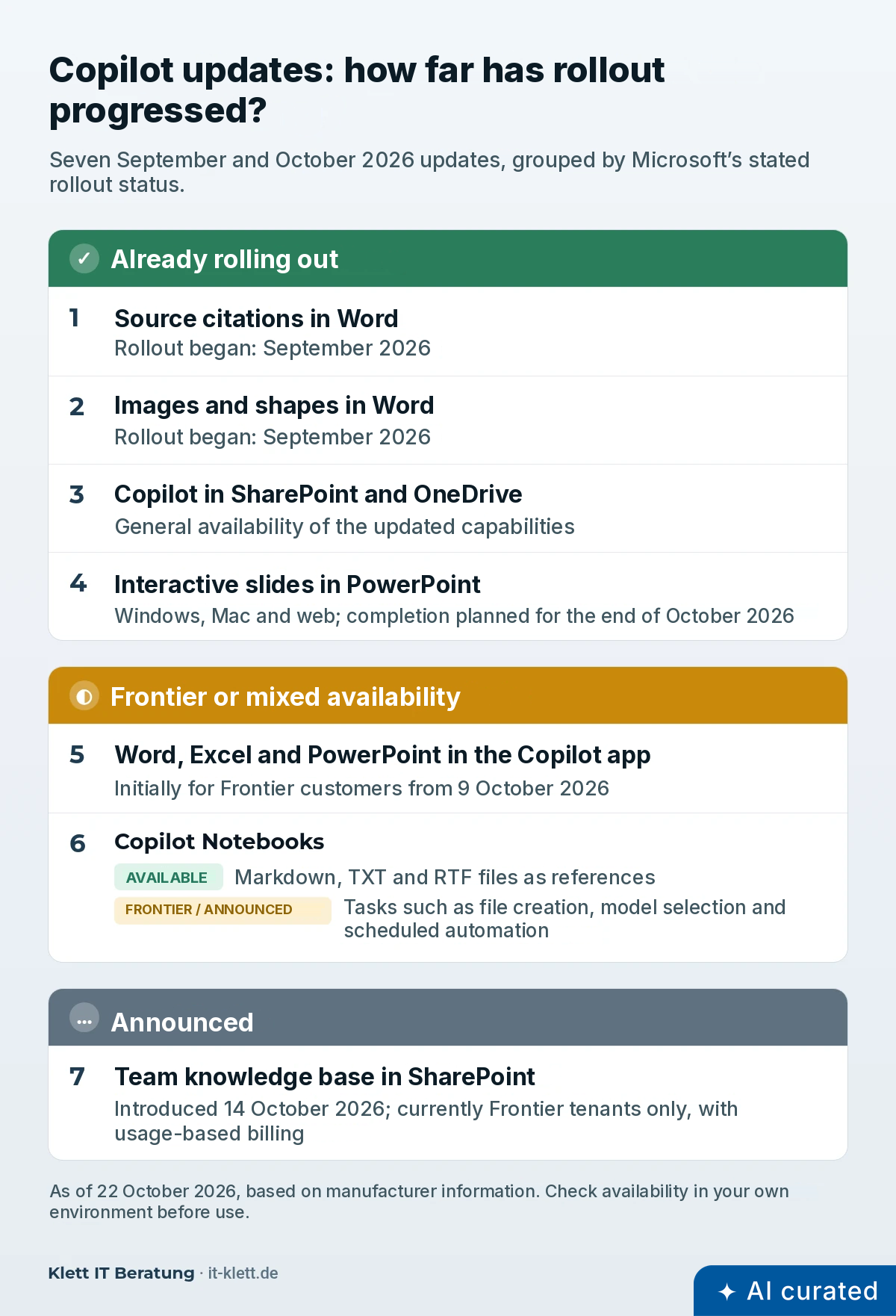
Microsoft’s September review mentions source references in Word, additional options for editing visual elements and the general availability of the renewed Copilot experiences in SharePoint and OneDrive. [1]
Further announcements followed in October: interactive slides in PowerPoint, Word, Excel and PowerPoint directly in the Copilot app, new features for Copilot Notebooks and a team knowledge base in SharePoint curated by Copilot. [5] [6] [7] [8] Some of this is already being rolled out widely; other features are initially only available in the Frontier programme. I indicate the status in each section.
This article puts manufacturer information into context. No functional test took place in a customer tenant. The following exercises are recommendations for your own pilot.
1. Source references in Word: checking answers more easily
Microsoft describes source references in Copilot answers in Word that make the underlying web or work content accessible. The review names September 2026 as the start of the rollout. [1]
What this can be useful for: A team creates a short project overview. Instead of adopting a plausible-sounding statement directly, it opens the corresponding source and checks the date, context and statement.
Test idea: Use an approved document with known facts. Ask for a summary and check every essential statement against the original. If evidence is missing, treat the point as open. A source reference shows a way to check; it does not guarantee a correct interpretation.
Sample prompt: “Summarise the most important decisions from this document. Separate decided points from open questions. Name the sources used and mark missing information.”
2. Images and shapes in Word: trying out layout work in a targeted way
The monthly review also describes arranging and changing images and shapes in Word via Copilot. September is also named as the start of the rollout for this. [1]
What this can be useful for: A short internal information sheet is to become clearer. Recurring layout steps could be simplified with an instruction.
Test idea: Work with a copy of a non-critical sample document. Formulate a single change, compare before and after, and then check page breaks, captions and readability. Also check the PDF export. Whether time is actually saved depends on the amount of rework.
Sample prompt: “Arrange the three images evenly. Keep the captions and do not change the body text.” The prompt describes the goal; the actual result must be checked.
3. Working with documents in SharePoint and OneDrive
Microsoft reports the general availability of the renewed Copilot features in SharePoint and OneDrive. For SharePoint, the review mentions support with content, organisation and metadata, among other things. For OneDrive, Microsoft describes a shared technical foundation with SharePoint. [1]
What this can be useful for: A team wants to develop an understandable overview from a limited set of project documents. The first step is a clean, up-to-date set of documents with appropriate access rights.
Test idea: Choose a few approved test files and a question whose answer is known. Check which documents were actually used. Record outdated versions and contradictory statements as separate check points.
In addition, the official OneDrive release notes list Copilot actions in File Explorer and the activity center. These include summaries, questions and file comparisons, among others; a work or school account and a Microsoft Copilot licence are required. This should be distinguished from the web interface. [2]
4. New in October: interactive slides in PowerPoint
With the “Create interactive slide” skill, Copilot in PowerPoint generates slides that reveal content step by step and can be explored during the presentation. Microsoft mentions use cases such as dashboards based on a data snapshot, timelines, process flows and comparisons of options. You start it via the button in the ribbon or by selecting the skill in the Copilot pane. According to Microsoft, the rollout covers PowerPoint for Windows and Mac (Current Channel and Monthly Enterprise Channel) as well as the web and is to be completed by the end of October 2026. [5]
What this can be useful for: A monthly overview for management or a comparison of quotes for a customer often contains too many figures on one slide. An interactive presentation can help show information one step at a time.
Test idea: Take an existing, non-critical slide with a table or timeline. Have an interactive slide created from it and check every figure against the source data. Then test the slide in presentation mode and on the device you will actually present on. Also clarify how the slide looks for the recipient as a PDF or in an older version of PowerPoint.
Sample prompt: “Create an interactive timeline from the table on slide 4. Keep all dates unchanged and do not add any new content.”
Data protection note: If Copilot also draws on content from Excel or Word files, this data ends up in the presentation. Before passing it on, check whether it contains customer or personnel data that the recipient should not see.
5. New in October: Word, Excel and PowerPoint directly in the Copilot app
Microsoft is bringing Word, Excel and PowerPoint into the Copilot app. A draft that Copilot creates in chat or in Cowork opens next to the conversation and can be edited, commented on and revised together with colleagues right there. According to Microsoft, the files are saved in OneDrive and keep their formatting, comments, sharing, version history and the sensitivity labels set up in the organisation. The feature has been rolling out to Frontier customers first since 9 October 2026. [6]
What this can be useful for: Bullet points from a customer meeting are to become a draft quote. Instead of copying text from the chat into Word, the document is created directly as a file and can be refined in the same window.
Test idea: Have a short draft created from your own notes and then check in OneDrive where the file is stored, who has access and whether your template and corporate design were applied.
6. New in October: Copilot Notebooks for projects
Copilot Notebooks bundle documents on a project or topic in one place. According to Microsoft’s October overview, Markdown, TXT and RTF files can now also be added as references; this extension is generally available. Further features are in the Frontier programme or have been announced for the coming weeks: Copilot can take on simple tasks, such as creating Word, Excel or PowerPoint files from the chat, model selection becomes possible, and recurring tasks such as a weekly status report are to be automated on a schedule. [7]
What this can be useful for: For an ongoing customer project, minutes, emails and text notes are scattered. A notebook can bring these documents together and serve as the basis for summaries.
Test idea: Create a notebook for a completed internal project whose course you know well. Ask three questions with known answers and check whether Copilot draws on the right documents. Pay attention to the setting that determines whether only the notebook or also “Work and web” is searched.
7. Announced: team knowledge base in SharePoint
On 14 October 2026, Microsoft presented a team knowledge base in SharePoint. Team members share emails, chats, meetings or files; Copilot organises this content into linked pages that people can read and AI agents can use as context. The feature is currently only rolling out in Frontier tenants and, according to Microsoft, is only available to users for whom usage-based billing has been set up. [8]
My assessment: For most small and medium-sized businesses, this is initially something to keep an eye on. However, the basic idea is already worthwhile today: a knowledge base is only as good as the content that goes into it. If you clean up outdated documents now and define clear responsibilities for knowledge pages, you create the conditions for later AI features.
Data protection note: Before emails or chats are added to a shared knowledge base, it should be clarified whether they contain personal or confidential customer data and who may see the pages later.
Smaller updates and an outlook
In addition, there were further changes in October that may be relevant in everyday work:
- Regenerate an answer: In Microsoft Copilot Chat on the web, you can regenerate an answer via “Try again” or “Change model” without entering the prompt again. [9]
- Search and chat together: In Microsoft Copilot Search, you can ask follow-up questions about search results directly in the chat. [9]
- Cowork with role plugins: For Cowork, there are new plugins for sales, service, education and legal, as well as additional connections to business applications. Which plugins and connectors are available is decided by the administrators. [11]
- Copilot Code: Microsoft describes a way to create small applications such as trackers or dashboards by describing them in natural language and to share them within the organisation. This is also an early development that starts via the Frontier programme first. [12]
Which licence is required?
The name “Copilot” does not reliably tell you the scope of features. Copilot Chat, features within Office applications and additional services can have different requirements. The Word documentation refers to a suitable Microsoft 365 subscription or an appropriate Copilot licence. [3] Some of the October updates additionally require participation in the Frontier programme or usage-based billing. [6] [8]
Before a purchase or rollout, check:
- Which product and which specific feature are to be used?
- Which licence or additional billing is intended for this?
- Which platform, app version and update channel are supported?
- Is the feature generally available, in preview or still announced?
- Is it allowed by the administrators and actually visible in your own account?
- Are there ongoing costs with usage-based billing, and is there a spending limit?

Open licensing or rollout questions belong in pilot planning. This article does not promise that the updates mentioned will be available everywhere.
A pilot that enables a real decision
My recommendation: test a recurring task with a few volunteers. Agree in advance what makes a usable result: for example, a complete overview without made-up dates, traceable sources and a consistent format.
- Record the starting point: How is the task done today?
- Choose test cases: Use approved data and known target results.
- Measure the total effort: Also record checking and rework.
- Collect errors: Which facts, sources or layout details were handled incorrectly?
- Make a decision: Adopt it, improve the instructions or do without it for now.
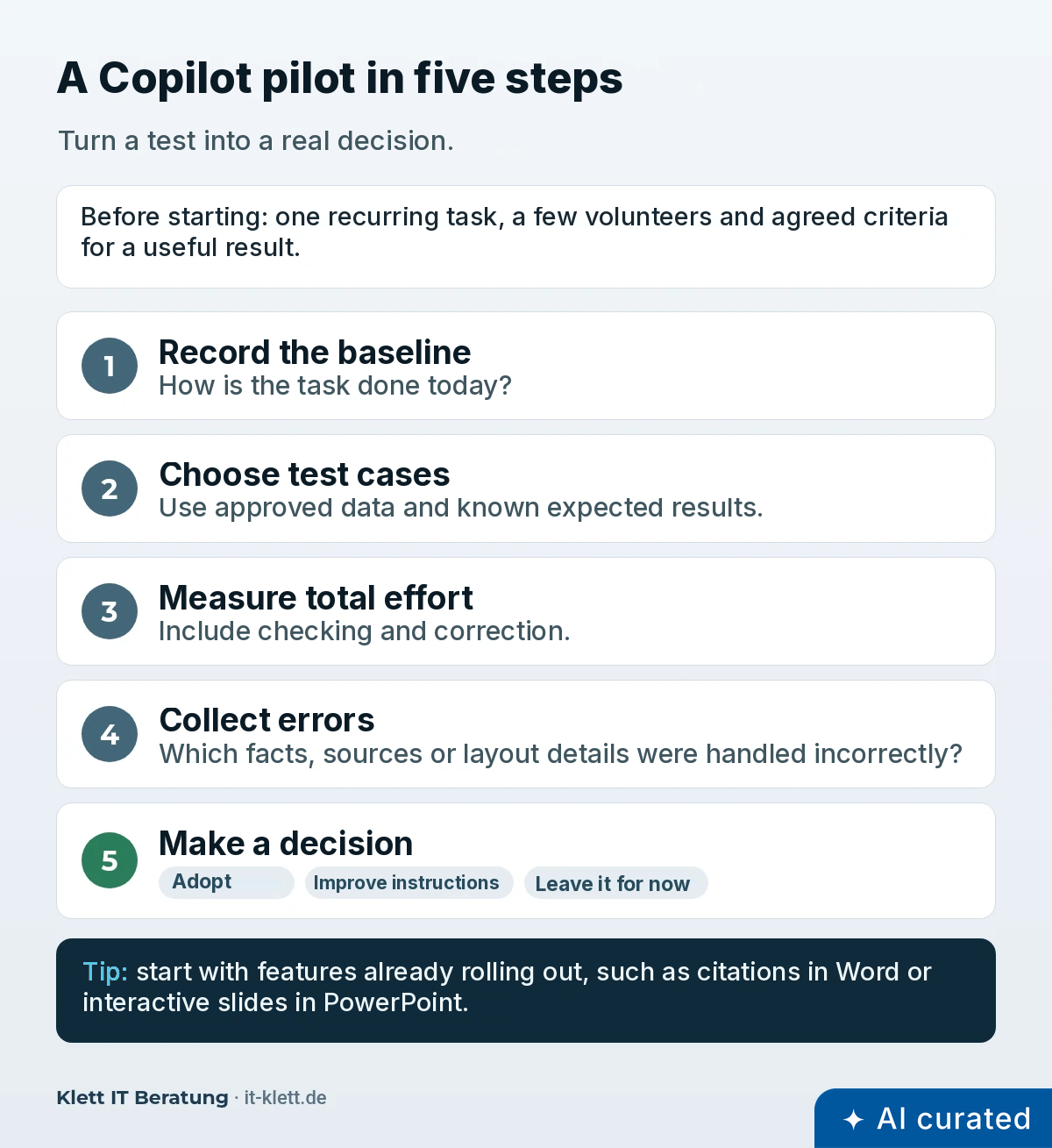
A single impressive answer is rarely enough as a basis for a decision. Repeatable results for typical tasks are more meaningful. Features that are already generally rolled out are particularly suitable for a first pilot, such as the source references in Word or the interactive slides in PowerPoint.
Data protection and permissions remain part of the rollout
Microsoft describes that Microsoft Copilot respects existing access rights. However, overly broad sharing is not automatically cleaned up as a result. Before using it, businesses should therefore review their data and permissions. Additional agents and connected services also need to be assessed. [4]
Another risk is hidden instructions in content, for example in an external email that Copilot is supposed to summarise. Experts call this indirect prompt injection. In October, Microsoft described an additional layer of protection for Microsoft Copilot: content from untrusted sources, such as external emails, is separated and processed with restrictions before it flows into the answer. According to Microsoft, a corresponding Outlook setting must be enabled in the tenant for this, and availability and behaviour may vary depending on the environment. [10] For businesses, this means: have your IT check this setting, and do not adopt summaries of external messages unchecked if they ask for payments, approvals or the disclosure of data.
Frequently asked questions
Which Copilot updates are suitable for a first test?
Features that are already generally rolled out are particularly suitable for a first pilot, such as the source references in Word or the interactive slides in PowerPoint.
What does Frontier mean for Microsoft Copilot?
Frontier is Microsoft’s early access programme. Several of the updates described, such as Word, Excel and PowerPoint in the Copilot app or the team knowledge base in SharePoint, are initially only provided there.
Which licence is needed for the new Copilot features?
The name “Copilot” does not reliably tell you the scope of features. The Word documentation refers to a suitable Microsoft 365 subscription or an appropriate Copilot licence. Some October updates additionally require participation in the Frontier programme or usage-based billing.
Does Microsoft Copilot respect existing access rights?
According to Microsoft, yes. However, overly broad sharing is not automatically cleaned up as a result. Before using it, businesses should therefore review their data and permissions.
Further reading and support
My AI glossary explains the most important terms. The article on the EU AI Act adds the regulatory framework.
Would you like to prepare a manageable Copilot pilot? Get in touch.
Sources and currency
Manufacturer information, checked on 22 October 2026. Check rollout and licensing again before publication or procurement.
- Microsoft: What’s New in Microsoft Copilot, September 2026.
- Microsoft Learn: OneDrive sync release notes.
- Microsoft Support: Draft and add content with Copilot in Word.
- Microsoft Learn: Data, privacy and security for Copilot.
- Microsoft: Transform your storytelling with interactive slides in PowerPoint, 19 October 2026.
- Microsoft: Introducing Office in the new Microsoft Copilot app, 9 October 2026.
- Microsoft: What’s New in Notebooks, October 2026, 9 October 2026.
- Microsoft SharePoint Blog: Introducing a team knowledge base, curated by Copilot and agents, 14 October 2026.
- Microsoft Learn: Release notes for Microsoft 365 Copilot, entry of 6 October 2026.
- Microsoft: Building Trust-Aware Controls for AI, differentiated handling of untrusted content, 13 October 2026.
- Microsoft: What’s New in Cowork, expanded plugins and role-based skills, 21 October 2026.
- Microsoft: Copilot Code, make the power of coding accessible to everyone, 21 October 2026.
✨ Curated and generated with AI, finalized by a human ❤️